
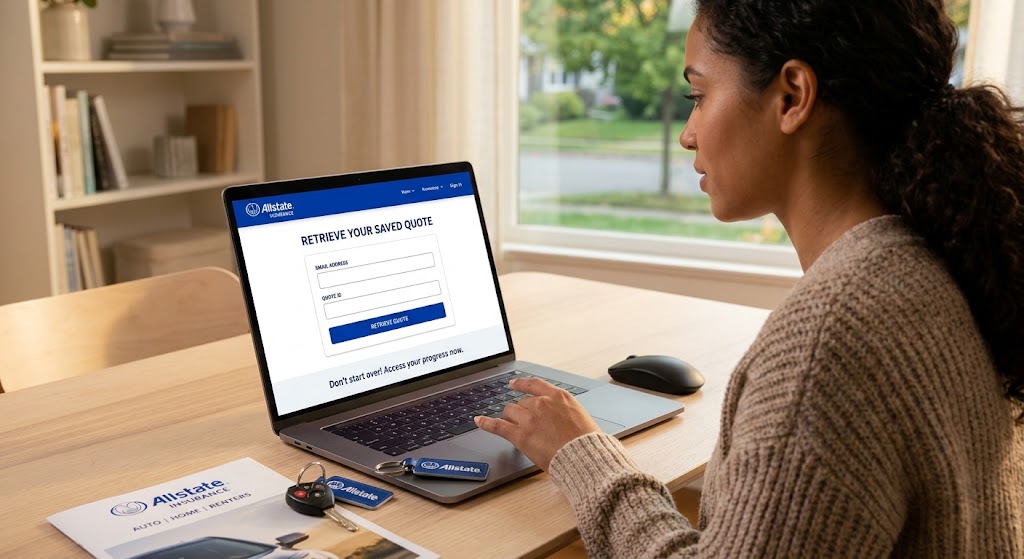
Step-by-Step: Retrieving Your Saved Allstate Quote
Starting a new car insurance quote from scratch takes unnecessary time. If you stepped away to check your current policy, gather your vehicle identification number (VIN), or compare rates, your progress isn't lost. Allstate lets you pick up right where you left off.
Method 1: Direct Web Retrieval
-
Visit the official Allstate website homepage.
-
Look for the "Continue a quote" link next to the main quote bar.
-
Enter the Zip Code, Email Address, or Quote ID associated with your initial session.
-
Click Retrieve to load your saved vehicle details, selected coverages, and custom rate estimates immediately.
Method 2: Email Retrieval
-
Open your inbox and search for emails sent by Allstate Insurance.
-
Open the confirmation email sent when you first saved your quote.
-
Click the secure "Resume Your Quote" or "View Saved Quote" button inside the message.
Method 3: Allstate Mobile App & Account Sign-In
-
Launch the Allstate Mobile App on your smartphone.
-
Sign into My Account using your login credentials.
-
Navigate to the Quotes tab on your main dashboard to view and complete active drafts.
Pro Tips to Save Extra Money Before Finalizing
Note: Saved quotes generally lock in your rate for a limited period (often 30 to 60 days depending on state regulations and rate updates). Final pricing may require identity and driving record verification before policy activation.